ChatsRat

    Fake live stream chat generator

    This look draws the fast, public chat that scrolls beside a live broadcast: a dark panel, a watching count, coloured names with small badges, emotes and the gold banners that appear when someone tips. Streamers, comedy writers and video editors use it to stage a raid, a chaotic boss fight or a wholesome milestone without a real audience.

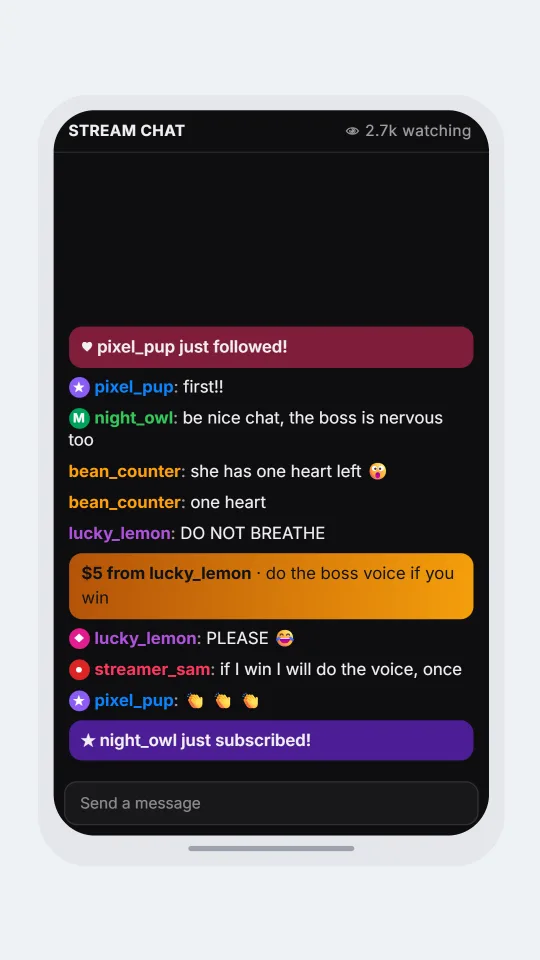
    A dark live stream chat during a boss fight with mod and sub badges, a follow alert and a donation banner
    A boss fight and a very long minute
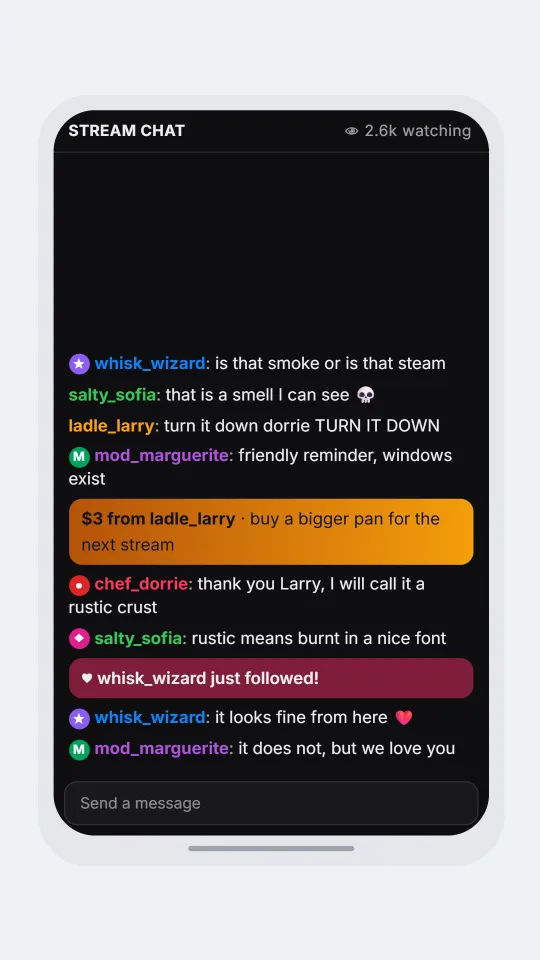
    A live stream chat where viewers react to a smoking pan with jokes, a moderator note and a donation message
    A cooking stream with a smoke alarm
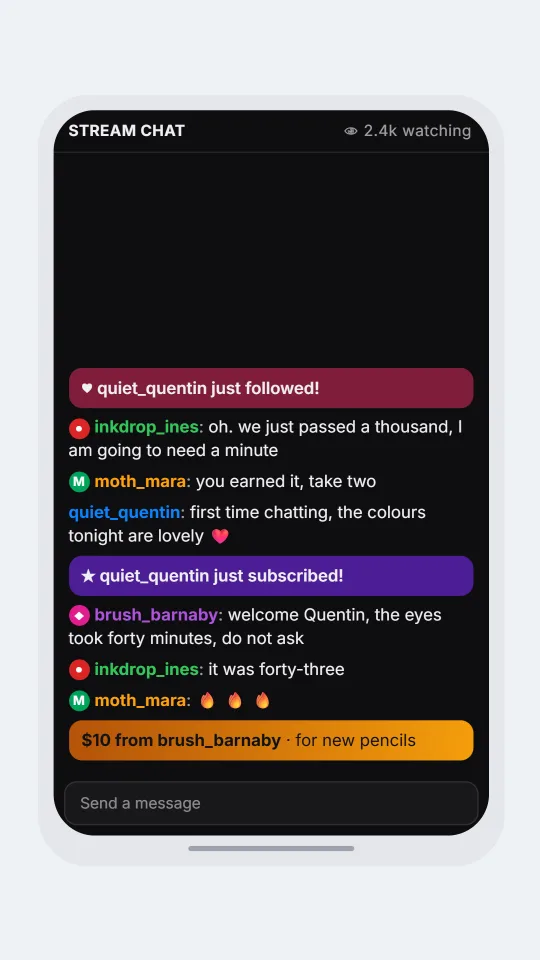
    A calm live stream chat for a drawing stream celebrating a subscriber milestone with badges and heart alerts
    A drawing stream hits a milestone
    Make one now

    Writing a Live stream chat-style chat that feels right

    Live chat is a crowd talking over itself. Messages are tiny, often one word, and they arrive in bursts whenever something happens on screen. Viewers spam an emote, repeat the streamer's last sentence back, predict what will happen next, and ask the same question four times in a row. Nobody waits for an answer, and that overlap is the entire texture.

    Roles shape the voices. Moderators scold gently and keep the peace, subscribers cheer with a small badge beside their name, a VIP gets a friendly nod, and the owner replies to a few lines in full sentences. Alerts interrupt everything: a new follow, a fresh subscription, and a donation with a message that the streamer must read aloud.

    For a believable page, write many short lines from many names, let a single running joke spread, and place one alert where the story turns. ChatsRat draws this panel itself without logos, badge artwork or platform branding, and it is not affiliated with or endorsed by any streaming service. Every viewer in it is invented.

    Three examples to start from

    A boss fight and a very long minute

    A speedrun scene with predictions, a calm moderator and a donation that asks the streamer to attempt something silly.

    [follow: pixel_pup]
    pixel_pup [sub]: first!!
    night_owl [mod]: be nice chat, the boss is nervous too
    bean_counter: she has one heart left :pog:
    bean_counter: one heart
    lucky_lemon: DO NOT BREATHE
    [donate: lucky_lemon | 5 | do the boss voice if you win]
    lucky_lemon [vip]: PLEASE :lol:
    streamer_sam [owner]: if I win I will do the voice, once
    pixel_pup [sub]: :gg: :gg: :gg:
    [sub: night_owl]
    Open this example in the editor

    A cooking stream with a smoke alarm

    A warm cooking stream where the chat predicts disaster, then watches the kitchen survive by a very small margin.

    whisk_wizard [sub]: is that smoke or is that steam
    salty_sofia: that is a smell I can see :rip:
    ladle_larry: turn it down dorrie TURN IT DOWN
    mod_marguerite [mod]: friendly reminder, windows exist
    [donate: ladle_larry | 3 | buy a bigger pan for the next stream]
    chef_dorrie [owner]: thank you Larry, I will call it a rustic crust
    salty_sofia [vip]: rustic means burnt in a nice font
    [follow: whisk_wizard]
    whisk_wizard [sub]: it looks fine from here :heart:
    mod_marguerite [mod]: it does not, but we love you
    Open this example in the editor

    A drawing stream hits a milestone

    A gentle late-night art stream where the chat celebrates a milestone and nobody mentions how long the eyes took.

    [follow: quiet_quentin]
    inkdrop_ines [owner]: oh. we just passed a thousand, I am going to need a minute
    moth_mara [mod]: you earned it, take two
    quiet_quentin: first time chatting, the colours tonight are lovely :heart:
    [sub: quiet_quentin]
    brush_barnaby [vip]: welcome Quentin, the eyes took forty minutes, do not ask
    inkdrop_ines [owner]: it was forty-three
    moth_mara [mod]: :fire: :fire: :fire:
    [donate: brush_barnaby | 10 | for new pencils]
    Open this example in the editor

    See the first example play as a video

    What is included in this look

    • Watching counter. The title strip reads Stream Chat and shows a viewers figure that climbs a little with every message you add, which gives the panel a feel of a growing crowd.
    • Four drawn badges. Put mod, sub, vip or owner in square brackets after a name and a small coloured badge appears before it, in green, purple, pink or red, drawn by us.
    • Coloured names. Each viewer gets their own colour, so a long scroll of single-line messages stays readable and the eye can follow one person's jokes through the panel.
    • Emote shortcodes. Type a code such as colon fire colon, lol, heart, pog, gg or rip between colons, and the line shows the matching emoji in place of the code.
    • Follow and sub alerts. A follow line draws a rose banner with a heart, and a sub line draws a violet banner with a star, so a milestone interrupts the scroll the way it does live.
    • Donation banners. A donate line with a name, an amount and a message draws a gold banner showing the dollar amount and the words, the moment every stream waits for.

    Questions

    Is this the same as the Twitch whispers look?

    No. This one is the public, scrolling chat beside a broadcast. The whispers look is a private one-to-one conversation with plain bubbles. Choose this look for crowds, alerts and badges, and the other for quiet backstage talk.

    Which plan includes the live chat look?

    It needs the Standard plan or above. You can try the editor with the free looks first, then come back and write a crowd scene when you want badges, alerts and banners.

    How do I write an alert?

    Put the alert on its own line in square brackets. For example, follow with a colon and a name, or donate with a name, an amount and a message separated by vertical bars. Everything else is name, colon, message.

    Can I fake a real streamer's chat?

    No. Use invented names for every viewer and for the streamer, and do not stage a chat that claims to be from a real broadcast, a real donation or a real ban. The look is for fiction, parody and editing practice.

    Does it have a light theme?

    No. This look is dark only, which matches how people watch a stream. The panel, the input box that says Send a message and the banners keep their dark colours whatever else you change in the editor.

    Simulated screens only. Not affiliated with Live stream chat. ChatsRat draws its own original screens and uses no logos.