ChatsRat

    Fake Twitch whispers chat generator

    Before the stream goes live, the real planning happens in private. This look draws that backstage layer in the style of Twitch whispers: two people, plain bubbles, an avatar letter and a green Online line. It is not the scrolling public chat, which has its own look. Use it for raid plans, moderator check-ins and the nervous message before a first collab.

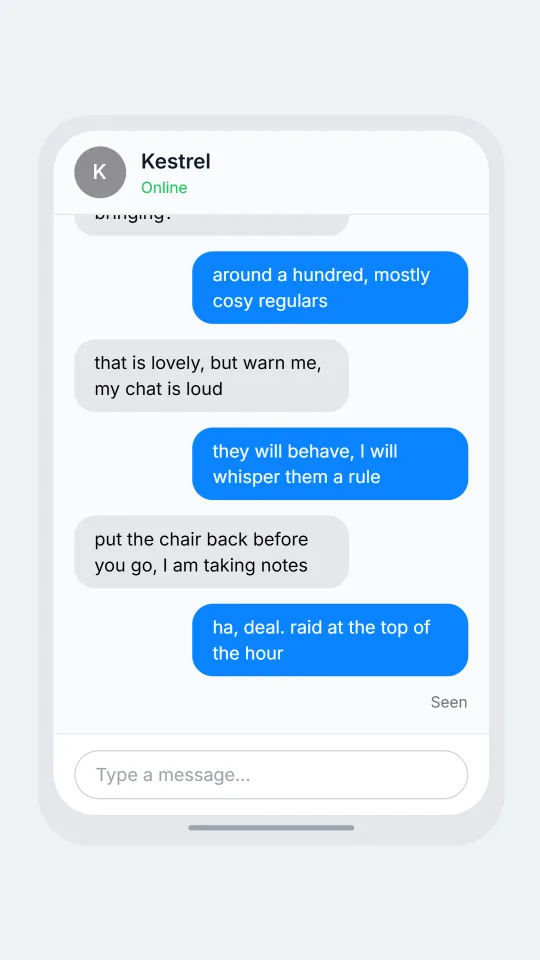
    A private whisper chat where two streamers plan a surprise raid at the end of a broadcast
    A raid plan ten minutes before the end
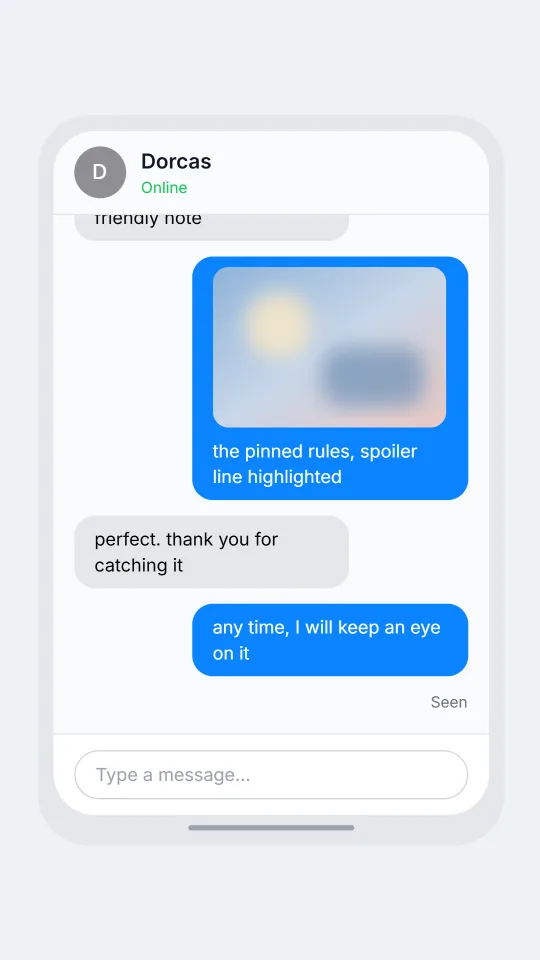
    A moderator privately asks a streamer whether a joke is fine before deciding on a timeout
    A moderator checks before a timeout
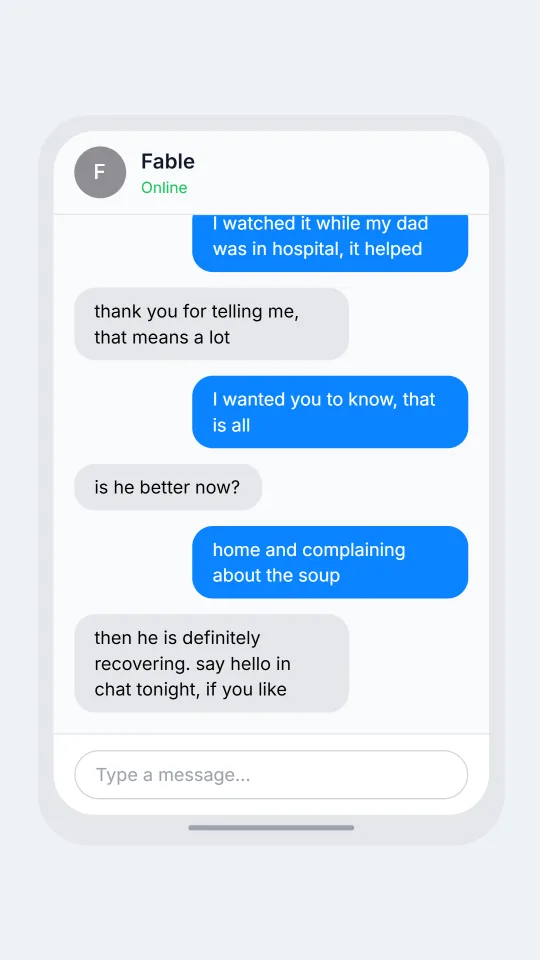
    A shy viewer sends a polite whisper to a streamer after months of lurking in a small channel
    A lurker finally says hello
    Make one now

    Writing a Twitch-style chat that feels right

    Whispers are where streamers drop the performance. The tone is lower, the sentences are complete, and the topics are logistics: who is raiding whom, what the title should say, whether a viewer should be timed out. Moderators use them to check a decision before acting, and friends use them to say a quick sorry for running late to a collab.

    There is also a quieter kind of whisper, written by a viewer who has been lurking for months. It starts with an apology for the interruption, mentions a specific moment from a past broadcast, and asks something small. Replies from a streamer are usually warm and brief, because they are between scenes and about to switch back to camera.

    For a mock-up that feels honest, keep the stakes tiny and the vocabulary specific, such as scenes, overlays, rewards and schedules. ChatsRat draws this layout in its own plain style with no logos or artwork, and it is not affiliated with or endorsed by Twitch. Every character here is invented, and the screen shows no real streamer.

    Three examples to start from

    A raid plan ten minutes before the end

    Two streamers decide who raids whom, in the shorthand people use when the scene is about to change.

    Solveig: are you still live? I have about ten minutes left
    Kestrel: twenty, I am finishing the garden level
    Solveig: I want to send my people over when I end
    Kestrel: how many are you bringing?
    Solveig: around a hundred, mostly cosy regulars
    Kestrel: that is lovely, but warn me, my chat is loud
    Solveig: they will behave, I will whisper them a rule
    Kestrel: put the chair back before you go, I am taking notes
    Solveig: ha, deal. raid at the top of the hour
    Open this example in the editor

    A moderator checks before a timeout

    A careful moderator gets a second opinion before acting, which is how most whispers on a busy channel really read.

    Halloran: quick check, someone keeps pasting the same spoiler in chat
    Dorcas: which spoiler?
    Halloran: the one about the ending of the game you started yesterday
    Dorcas: oh no, I just got to the lighthouse
    Halloran: do you want a timeout or just a deletion?
    Dorcas: deletion for now, then a friendly note
    Halloran: [photo: the pinned rules, spoiler line highlighted]
    Dorcas: perfect. thank you for catching it
    Halloran: any time, I will keep an eye on it
    Open this example in the editor

    A lurker finally says hello

    A first message after months of silence, with an apology, a specific memory and the kind reply every small streamer hopes for.

    Wilhelmina: hi, sorry for the whisper, I have been lurking for about a year
    Fable: oh hello! you never need to apologise for that
    Wilhelmina: you did a stream in March where you repaired a clock
    Wilhelmina: I watched it while my dad was in hospital, it helped
    Fable: thank you for telling me, that means a lot
    Wilhelmina: I wanted you to know, that is all
    Fable: is he better now?
    Wilhelmina: home and complaining about the soup
    Fable: then he is definitely recovering. say hello in chat tonight, if you like
    Open this example in the editor

    See the first example play as a video

    What is included in this look

    • Private chat header. A round avatar carrying the first letter of the other person's name sits beside their name, with a green Online line under it when you mark them as present.
    • Your colour on the right. Your own bubbles use the colour chosen for your character and sit on the right, while the other person's replies appear on the left in a neutral grey.
    • Centred timestamps. A clock time appears whenever more than five minutes separate two messages, and a date header can be turned on for a message log that spans an evening.
    • Dark or light page. Pick a dark page for the late-night streamer look or a light one for a daytime shot, and set it inside a phone frame, a desktop window or a plain card.
    • Photos and voice notes. A photo line draws an image bubble for a screenshot of an overlay, a voice line draws a waveform with a length, and a deleted line shows a removed message.
    • Calm, shared layout. The look uses a shared general layout with no reactions, read receipts or typing dots, and it never draws the scrolling wall of emotes beside a stream.

    Questions

    Does this draw public Twitch chat?

    No. It draws a private one-to-one whisper. For the scrolling public chat with badges, emotes and donation banners, use the live stream chat look instead. They suit different scenes and often work well together in one video.

    What plan is needed for it?

    The whispers look needs the Standard plan or above. Free accounts can use the editor with the free looks, which is a fine way to test the script format before you switch.

    Can I show a streamer's real username?

    Please do not. Use invented names for both people, and avoid copying a real channel or a real moderation message. The tool is made for comedy, scripts, tutorials and stories, not for passing off messages as genuine.

    Can I add a green Online dot for both people?

    The header shows the status of the second person only, as a small green line when that person is marked online. Your own character, on the right, has no status line, because the header is about the person you are writing to.

    How do I make it into a video?

    Write your lines, choose a device frame, and export. The messages show in order at the pace you set, so a short raid plan plays like a conversation unfolding between two people on a break.

    Simulated screens only. Not affiliated with Twitch. ChatsRat draws its own original screens and uses no logos.