ChatsRat

    Fake WhatsApp chat generator

    This look draws a WhatsApp-style conversation: pale green bubbles on the right, white ones on the left, a deep teal header, the encryption banner and a faint doodle wallpaper. Writers, teachers, comedians and app designers use it for short stories, language lessons, sketches and mock-ups that need to feel like an ordinary phone chat.

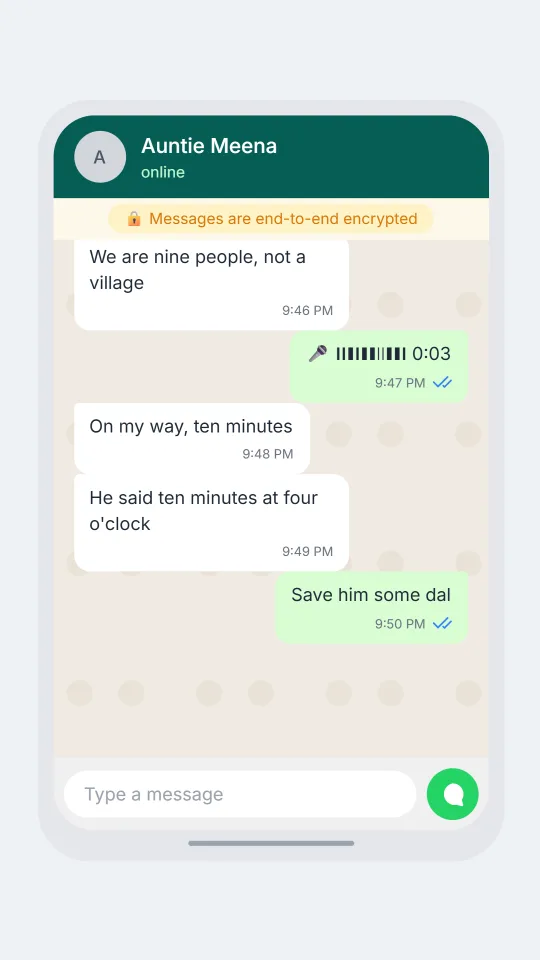
    A WhatsApp-style family chat arguing about who is bringing rice and who is late for Sunday dinner
    Sunday dinner head count
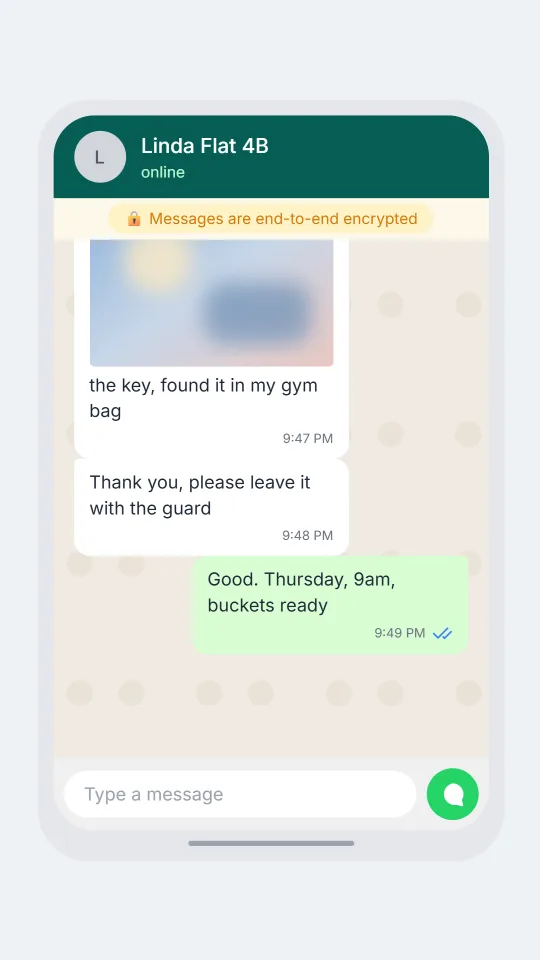
    A WhatsApp-style building group where neighbours discuss a water tank cleaning schedule and a missing key
    The water tank notice
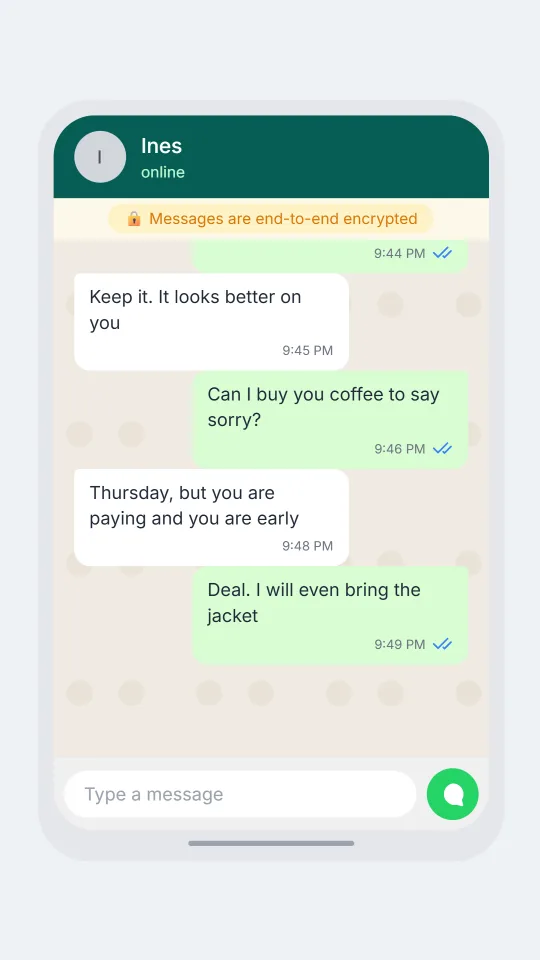
    A WhatsApp-style chat where one adult apologises for not replying for three weeks and gets a cool answer
    Late reply after a long silence
    Make one now

    Writing a WhatsApp-style chat that feels right

    People treat this app as the family and neighbourhood switchboard. Chats are full of voice notes, forwarded jokes, photos of lunch and group threads named after a cousin's wedding or a building's water tank. Messages are short, often lowercase, and the replies pile up at odd hours because the other person was on a bus. If you want a mock-up to feel right, write the way your aunt types: quick bursts, a stray emoji, a question mark sent on its own.

    What makes a screen read as this style at a glance is the colour pairing and the small details. The sender's bubble is a soft green with a squared corner, the time sits inside each bubble at the bottom right, and the tick marks change from grey to blue once something has been read. A quoted reply with a green stripe is how people answer one message among many in a busy group, so use it when your script jumps between topics.

    ChatsRat draws its own original screen for this look. It uses no logos, no brand artwork and no copied icons, and it is not affiliated with or endorsed by the company behind the real app. That keeps the pages safe for classrooms, fiction, film props and interface mock-ups, where everyone knows the conversation is invented.

    Three examples to start from

    Sunday dinner head count

    A family group trying to count heads for Sunday dinner, with one cousin always ten minutes away.

    Auntie Meena: Who is bringing the rice this week?
    Priya: I did it last time, it is Dev's turn
    Dev: Why am I always the rice person
    Auntie Meena: Because you never cook anything else beta
    Dev: Fair. Five kilos enough?
    Auntie Meena: We are nine people, not a village
    Priya: [voice: Dev, just buy two big bags and stop negotiating]
    Dev: On my way, ten minutes
    Auntie Meena: He said ten minutes at four o'clock
    Priya: Save him some dal
    Open this example in the editor

    The water tank notice

    Apartment neighbours sorting out the tank cleaning day and who still has the roof key.

    Mr Osei: Reminder: tank cleaning is Thursday 9am, water off till noon
    Linda Flat 4B: Please fill buckets tonight, last time we ran dry by ten
    Caretaker Samir: Does anyone have the roof key? Mine is not on the hook
    Linda Flat 4B: I returned it Monday!!
    Caretaker Samir: Hook is empty madam
    Mr Osei: Check with the 3rd floor, they borrowed it for the antenna
    Linda Flat 4B: [photo: the key, found it in my gym bag]
    Caretaker Samir: Thank you, please leave it with the guard
    Mr Osei: Good. Thursday, 9am, buckets ready
    Open this example in the editor

    Late reply after a long silence

    An overdue reply, a cautious apology and one very short answer, shown with blue ticks.

    Tomas: Hey. I know it has been three weeks
    Tomas: My phone broke and then I just felt bad
    Ines: Hm
    Tomas: I still have your blue jacket, by the way
    Ines: Keep it. It looks better on you
    Tomas: Can I buy you coffee to say sorry?
    Ines: [seen]
    Ines: Thursday, but you are paying and you are early
    Tomas: Deal. I will even bring the jacket
    Open this example in the editor

    See the first example play as a video

    What is included in this look

    • Green and white bubbles. Your lines sit on the right in a pale green bubble with a squared top corner, the other person's lines on the left in white, and a dark mode swaps in deep slate backgrounds.
    • Single, double and blue ticks. When read receipts are switched on, your bubbles show one grey tick when sent, two grey ticks when delivered and two blue ticks once the message counts as read.
    • Encryption banner and wallpaper. A small amber pill reading that messages are end-to-end encrypted sits under the teal header, with a soft patterned wallpaper behind the bubbles, as in the real thing.
    • Online and last seen line. Mark your contact online and the header shows the word online in light green, or mark them away and it shows last seen recently under their name.
    • Quoted replies and reactions. Any message can quote an earlier one with a green side stripe and the sender's name, and emoji reactions hang off the bottom corner of the bubble.
    • Typing dots and message beats. A bouncing three-dot bubble shows the other person typing, and script beats such as a missed call, a voice note, a photo or a deleted message draw in this style too.

    Questions

    Is the WhatsApp look free to use?

    Yes. It is one of the looks included in the Free plan, so you can build a script, pick light or dark mode and see the preview without paying. Some exports, such as video, may depend on your plan, which is shown in the editor.

    Can I make the blue ticks appear?

    Turn on read receipts in the chat settings and mark a message as read. Unread messages show grey ticks instead, and a message that is sent but not delivered shows a single tick, so you can stage the classic left-on-read moment.

    How do I add a voice note or a missed call?

    Write a line such as [voice: running late, start without me] or [call: Mum | missed] in your script. The voice note becomes a bubble with a waveform and length, and the call takes over the screen for a moment before the chat returns.

    Does this use the real app's logo or artwork?

    No. ChatsRat draws its own screen in this colour style, with no logos or copied icons, and the page is not affiliated with or endorsed by the company that makes the app. It is a style, not a screenshot.

    What should I not use these chats for?

    Do not present a made-up conversation as real proof, do not put words in a real person's mouth, and do not use it to deceive anyone, run a scam or impersonate someone. It is meant for fiction, teaching, humour and design work.

    Simulated screens only. Not affiliated with WhatsApp. ChatsRat draws its own original screens and uses no logos.