ChatsRat

    Fake iMessage text conversation maker

    Here you get an iMessage-style thread: blue bubbles on the right, light grey on the left, a pale header with a back link and a round contact initial, time stamps between bursts of talk and a small Delivered or Read note under your last bubble. Good for screenplay props, tutorial screenshots and fiction where one text changes everything.

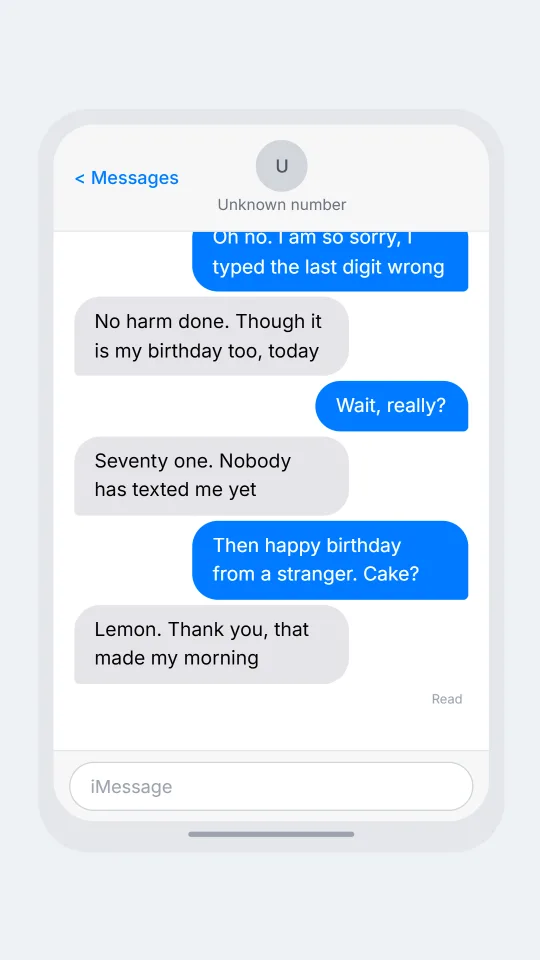
    An iMessage-style thread where a text sent to the wrong number turns into a friendly running conversation
    The wrong number that stayed
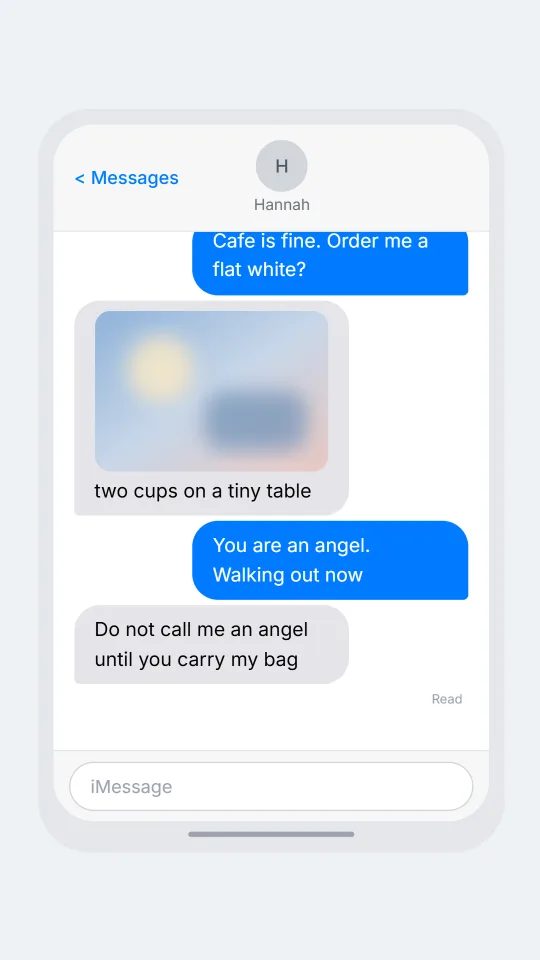
    An iMessage-style chat between a traveller and a driver rearranging an airport pickup after a delay
    Airport pickup, plan B
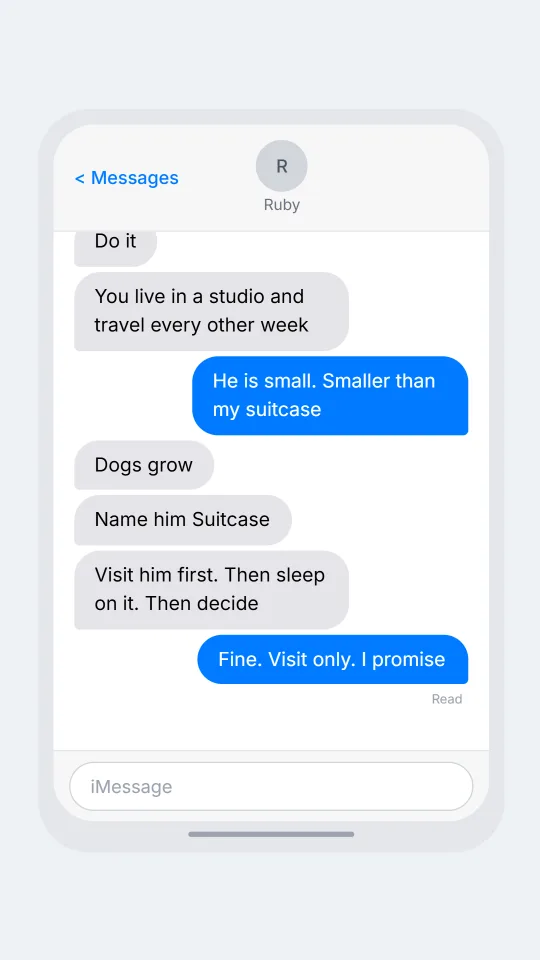
    An iMessage-style group chat where friends react with emoji to a suggestion to adopt a puppy on impulse
    Reactions on a bad idea
    Make one now

    Writing a iMessage-style chat that feels right

    Texting in this style is mostly one to one. Friends and couples trade short lines, then go quiet for an hour, then come back with a photo or a single letter k. The rhythm is stop and start, which is why the time stamp that appears after a gap matters so much: a reply stamped three hours later tells a whole story without a single extra word. Lean on gaps in your script rather than on long speeches.

    The look is built on contrast. Your bubbles are saturated blue with white text and a tight lower right corner, theirs are quiet grey with black text and a tight lower left corner. Under your last message a tiny label says Delivered, and later it flips to Read, which is the moment people stare at their screens. Reactions, the little emoji badge stuck to a bubble's corner, are how people say yes or ha without composing anything.

    ChatsRat draws this screen from scratch. There are no logos, no borrowed icons and no system artwork, and the page is not affiliated with or endorsed by the phone maker whose messaging app inspired the style. Treat the result as a stylised illustration for stories, lessons, slide decks and design drafts, where everybody can see it is made up.

    Three examples to start from

    The wrong number that stayed

    A birthday text goes to the wrong number and the stranger answers kindly.

    Noor: Happy birthday Grandpa!! Love the card you sent
    Unknown number: Thank you, but I think you have the wrong number
    Noor: Oh no. I am so sorry, I typed the last digit wrong
    Unknown number: No harm done. Though it is my birthday too, today
    Noor: Wait, really?
    Unknown number: Seventy one. Nobody has texted me yet
    Noor: Then happy birthday from a stranger. Cake?
    Unknown number: Lemon. Thank you, that made my morning
    Open this example in the editor

    Airport pickup, plan B

    A flight lands two hours late and the pickup has to be rebuilt over text.

    Kofi: Landed finally. Gate B14, bags in about 30
    Hannah: You were due at six, I have been circling
    Kofi: Two hour delay, I texted the airline not you, sorry
    Hannah: Parking is 12 dollars an hour. I am going to the cafe
    Kofi: Cafe is fine. Order me a flat white?
    Hannah: [photo: two cups on a tiny table]
    Kofi: You are an angel. Walking out now
    Hannah: Do not call me an angel until you carry my bag
    Open this example in the editor

    Reactions on a bad idea

    Friends answer an impulsive plan with a pile of emoji and one sensible voice.

    Mateo: I found a puppy at the shelter and I am going back after lunch
    Ruby: Mateo no
    Jonah: Do it
    Cass: You live in a studio and travel every other week
    Mateo: He is small. Smaller than my suitcase
    Ruby: Dogs grow
    Jonah: Name him Suitcase
    Cass: Visit him first. Then sleep on it. Then decide
    Mateo: [seen]
    Mateo: Fine. Visit only. I promise
    Open this example in the editor

    See the first example play as a video

    What is included in this look

    • Blue and grey rounded bubbles. Your lines are drawn in vivid blue with white text and a sharp bottom right corner, the other person's in soft grey with dark text and a sharp bottom left corner.
    • Time stamps after a pause. Messages sent within five minutes of each other are grouped, and a centred time label appears whenever the gap is longer, which is ideal for showing a slow reply.
    • Delivered and Read label. With read receipts on, a small right aligned note under your last bubble in each group says Delivered, or Read once you mark that message as read.
    • Reply quotes and emoji reactions. A message can quote an earlier one in a pale tinted box above it, and reactions appear as small round emoji badges tucked against the bubble's lower corner.
    • Typing bubble and plain input bar. A grey bubble with three bouncing dots shows the other person writing, and the bottom bar is a rounded field labelled iMessage with no extra icons to clutter it.
    • Photos, voice notes and call moments. Script beats work here: a photo placeholder, a voice note with a waveform and length, a deleted message, or a full screen incoming call before the thread returns.

    Questions

    Do I need a paid plan for the iMessage look?

    No. It sits in the free set of looks, so you can write, preview and play with light or dark mode straight away. Video and some other export options follow whatever your current plan allows, which the export panel shows.

    Why are my bubbles blue and the other side grey?

    The first person in your cast is always the sender and appears on the right in blue. Everyone else is drawn in grey on the left. Swap the order of names if you want the story told from the other side.

    Can I show a message that was read but not answered?

    Yes. Turn on read receipts, mark your last message as read, and the label under it switches from Delivered to Read. Add a typing indicator or a long time gap afterwards for extra tension.

    Is this a screenshot of Apple's app?

    No, and it does not try to be. ChatsRat draws an original screen in the same general style with no logos, and it is not affiliated with or endorsed by Apple. Use it as an illustration, never as a claim about a real device.

    What are fake texts not for?

    Never show one as proof that someone said something, never use a real person's name to embarrass them, and do not use it for scams, harassment or deception of any kind. Keep it to fiction, teaching and design.

    Simulated screens only. Not affiliated with iMessage. ChatsRat draws its own original screens and uses no logos.