ChatsRat

    Fake Signal chat generator

    The Signal look gives you a calm, no-frills messaging screen: rounded bubbles in a colour you choose, light grey replies, a centred time label after each pause, a Seen note and a simple message field. It suits privacy-themed fiction, security training stories and thriller scenes where two careful people talk in few words.

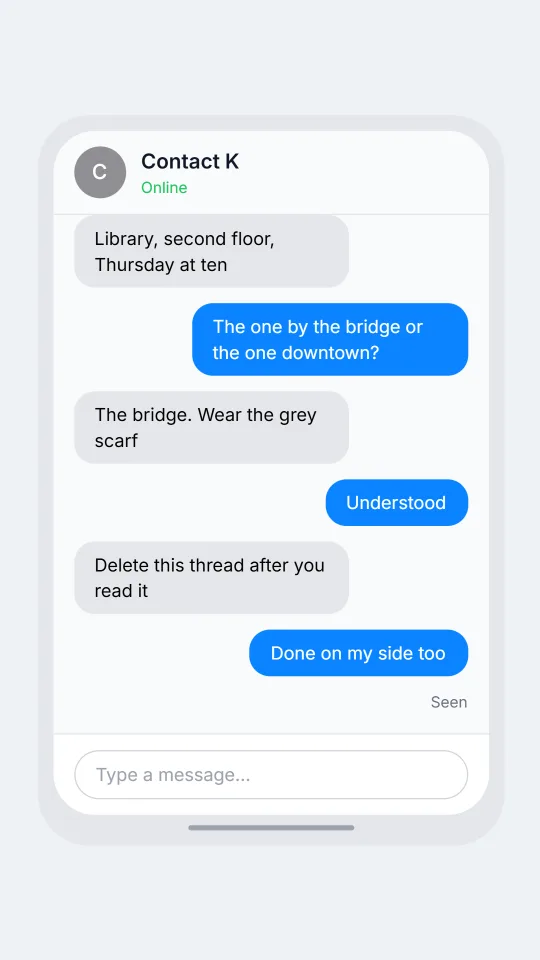
    A private messenger style chat where a reporter and a source agree on a place and time to meet
    A careful meeting arrangement
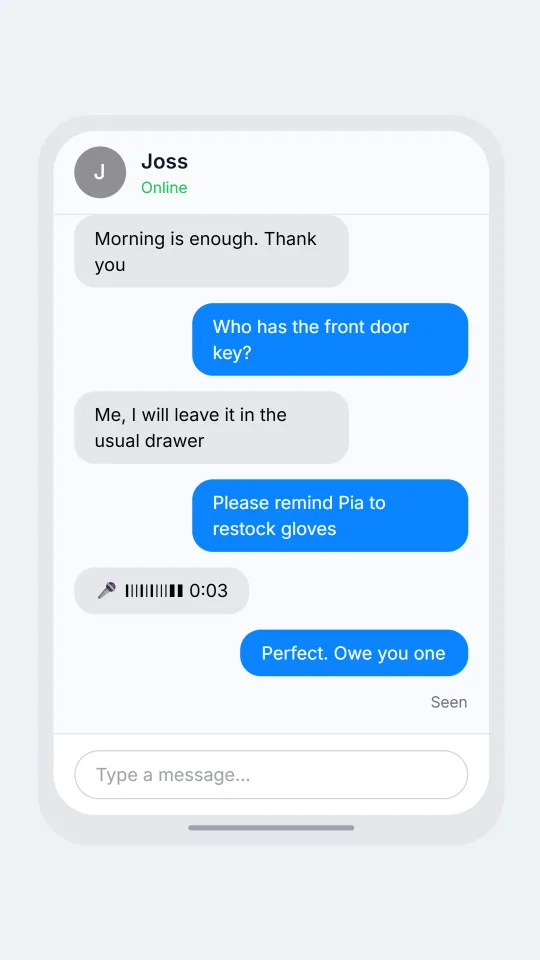
    A private chat where two clinic volunteers swap weekend shifts and agree on who carries the key
    Clinic volunteers swap shifts
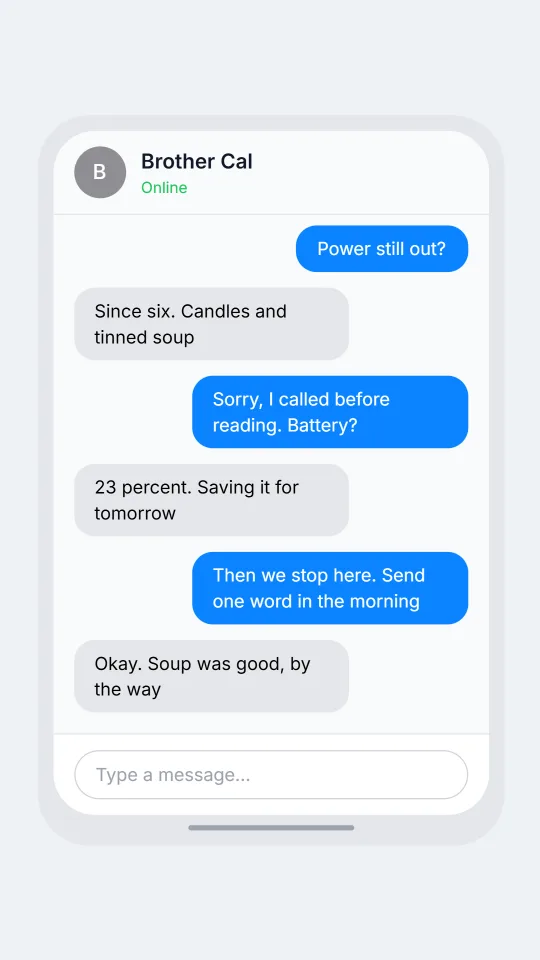
    A private chat in which a sister checks on her brother after a storm knocked the power out in his town
    Quiet check-in after a storm
    Make one now

    Writing a Signal-style chat that feels right

    The people who pick this kind of app are usually making a point of it. They talk to journalists, organisers, doctors and friends who dislike being tracked, so conversations are short, deliberate and often confirm something rather than chat. Phrases like talk later, call me on the other app or did you get my note travel well. Timing matters more than decoration: a message that says nothing except done carries weight in a story.

    Because the style is understated, the believable details are small. Bubbles are plain and rounded, replies are quoted without fuss, and a single quiet Seen note under the last line is enough to show someone has read it. The screen avoids ornament, so you create atmosphere with wording, with pauses and with voice notes or short calls that interrupt the thread. Keep each line tight and let silence do the dramatic work.

    To be clear about what this page is: ChatsRat draws a generic clean layout of its own. It uses no logos and no brand artwork, it does not copy the real app's interface, and it is not affiliated with or endorsed by the organisation that makes the messenger. It is a stand-in for fiction, lessons on digital safety and interface design drafts.

    Three examples to start from

    A careful meeting arrangement

    A reporter and a nervous source settle a meeting place using as few words as possible.

    Contact K: Are you alone on this device?
    Ilse: Yes. New phone, new number
    Contact K: Library, second floor, Thursday at ten
    Ilse: The one by the bridge or the one downtown?
    Contact K: The bridge. Wear the grey scarf
    Ilse: Understood
    Contact K: Delete this thread after you read it
    Ilse: Done on my side too
    Open this example in the editor

    Clinic volunteers swap shifts

    Two volunteers at a community clinic swap Saturday shifts and decide who has the keys.

    Joss: Can you take my Saturday? Family thing
    Dr Amara: Only the morning, I have a shift at noon
    Joss: Morning is enough. Thank you
    Dr Amara: Who has the front door key?
    Joss: Me, I will leave it in the usual drawer
    Dr Amara: Please remind Pia to restock gloves
    Joss: [voice: I will tell her tonight, she keeps the list]
    Dr Amara: Perfect. Owe you one
    Open this example in the editor

    Quiet check-in after a storm

    A short check-in between siblings after a storm, with a call that goes unanswered.

    Mirela: Power still out?
    Brother Cal: Since six. Candles and tinned soup
    Mirela: [call: Cal | missed]
    Mirela: Sorry, I called before reading. Battery?
    Brother Cal: 23 percent. Saving it for tomorrow
    Mirela: Then we stop here. Send one word in the morning
    Brother Cal: Okay. Soup was good, by the way
    Open this example in the editor

    See the first example play as a video

    What is included in this look

    • Plain rounded bubbles. Your lines appear on the right in the colour assigned to your character, the other person's on the left in light grey, with generous rounded corners and nothing decorative around them.
    • Choose your own colours. The Custom colours option in the editor lets you pick a different bubble colour for each character, so you can match the blue-violet mood of a private messenger without any brand artwork.
    • Time labels after pauses. Whenever more than five minutes pass between two messages a small centred time label appears, which is perfect for the long wait before a reply in a tense scene.
    • Seen under the last message. With read receipts on and your final message marked read, the word Seen appears at the right of the bubble, giving you a quiet way to show that a message was opened.
    • Header and typing dots. The top bar shows the contact's coloured initial and name, plus Online in green when selected, and three animated dots in a grey bubble show them composing a reply.
    • Call, voice and photo beats. Script beats such as a missed call, a voice note with a transcript, a photo placeholder or a deleted message are available, and calls take over the screen briefly in a phone call style.

    Questions

    Which plan includes the Signal look?

    It needs the Standard plan; the Free plan covers a smaller set of looks. You can write and test your script on a free look, then switch to this one when you upgrade without retyping anything.

    Does it show disappearing message timers or safety numbers?

    No. The look is a clean general layout, so it does not draw timers, safety numbers, lock icons or any of the app's special screens. If your story needs one, mention it in the dialogue instead.

    How do I change the bubble colour?

    Open the colour options in the editor and turn on Custom colours. Then pick a colour for each character. Your own bubbles use the first character's colour and the other person's use the second.

    Is this affiliated with the real messenger?

    No. ChatsRat draws an original layout with no logos, and the page is not affiliated with or endorsed by the app's makers or its non-profit owner. It only borrows the general feeling of a quiet private chat.

    Can I use it to show a secret message as proof?

    No. Do not present invented chats as real evidence, impersonate an activist, reporter or civil servant, or deceive anyone. Use it for stories, training exercises and design work where the cast is plainly made up.

    Simulated screens only. Not affiliated with Signal. ChatsRat draws its own original screens and uses no logos.