ChatsRat

    Fake Microsoft Teams chat generator

    This look turns a script into a tidy two-sided work chat: your lines on the right in a colour you choose, your colleague's on the left in grey, a centred time after any pause, reply quotes, emoji reactions, a seen marker and typing dots. Trainers, comedians and explainer makers use it for scenes about meetings and managers.

    Teams-style one to one work chat where a manager asks an employee to turn on a camera during a meeting
    Could you turn your camera on
    Teams-style work chat between a recruiter and a hiring manager rearranging an interview time
    Moving an interview slot
    Teams-style chat in which two colleagues struggle to open a shared spreadsheet before a deadline
    The file nobody can open
    Make one now

    Writing a Microsoft Teams-style chat that feels right

    A one to one chat at work is a different animal from a team channel. It is where people ask the small awkward questions: did you see my email, are you free for five minutes, can you share your screen. Replies are courteous but quick, the greeting is often just a name and a comma, and a pause before the answer is its own message. Mock-ups work best with a meeting that overran and a polite request that is not really a request.

    This page draws the conversation as a plain bubble thread rather than a copy of the full desktop window. You get the speaker's colour on the right, a calm grey on the left, a small time label whenever more than five minutes pass, and a seen label under the last message if it has been read. That clarity helps when a scene has to be understood in two seconds on a phone.

    Write about interview scheduling, a missed standup, a request to turn the camera on, a shared document nobody can open. Invent every person and company. ChatsRat draws its own original screen, uses no logos, and is not affiliated with or endorsed by Microsoft or Teams. For a channel with posts and replies, use the Teams channel look instead.

    Three examples to start from

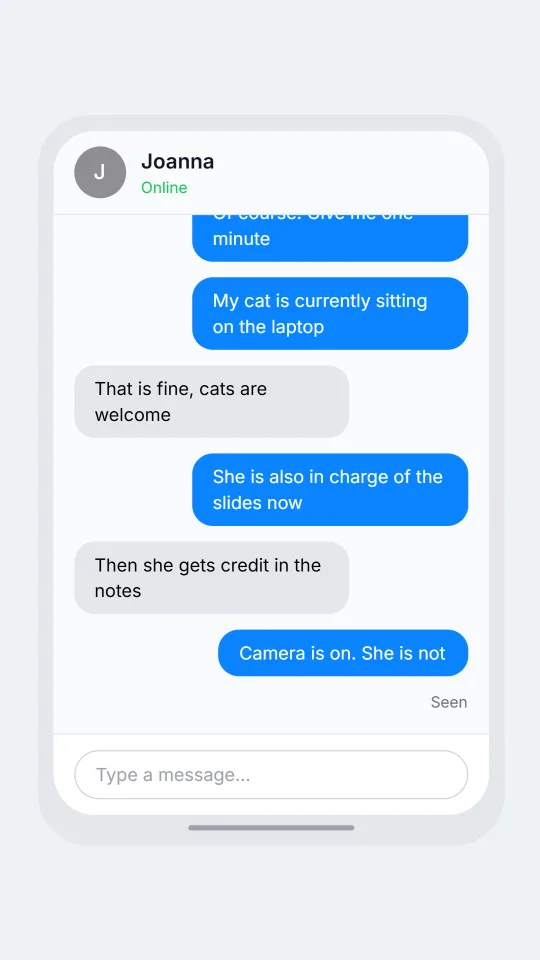
    Could you turn your camera on

    A manager asks for a camera during a call, and the answer comes with a very good excuse.

    Joanna: Joanna, quick note, could you put your camera on for the review?
    Alan: Of course. Give me one minute
    Alan: My cat is currently sitting on the laptop
    Joanna: That is fine, cats are welcome
    Alan: She is also in charge of the slides now
    Joanna: Then she gets credit in the notes
    Alan: Camera is on. She is not
    Joanna: [seen]
    Open this example in the editor

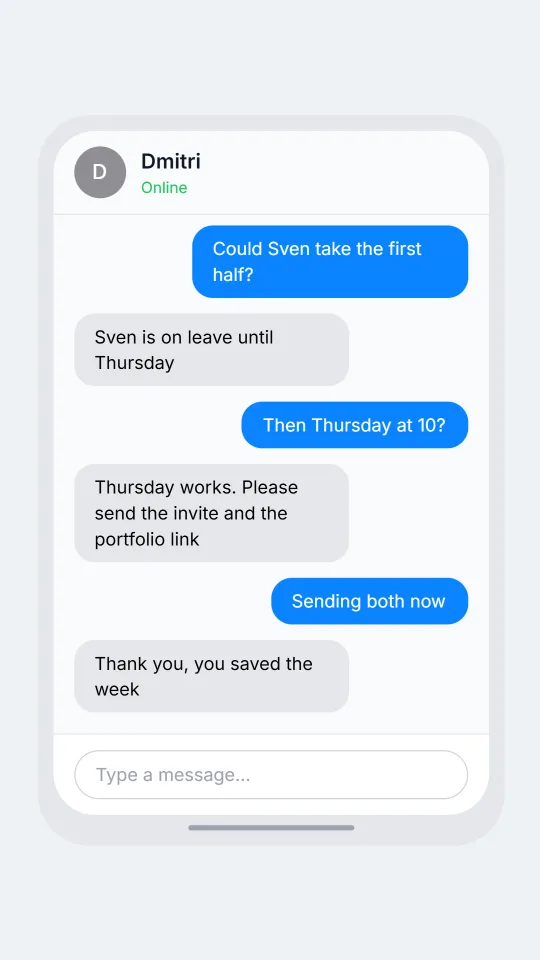
    Moving an interview slot

    A recruiter and a hiring manager shuffle three calendars to fit one candidate in.

    Farah: Dmitri, the candidate can only do Wednesday at 2
    Dmitri: I have the vendor call then
    Farah: Could Sven take the first half?
    Dmitri: Sven is on leave until Thursday
    Farah: Then Thursday at 10?
    Dmitri: Thursday works. Please send the invite and the portfolio link
    Farah: Sending both now
    Dmitri: Thank you, you saved the week
    Open this example in the editor

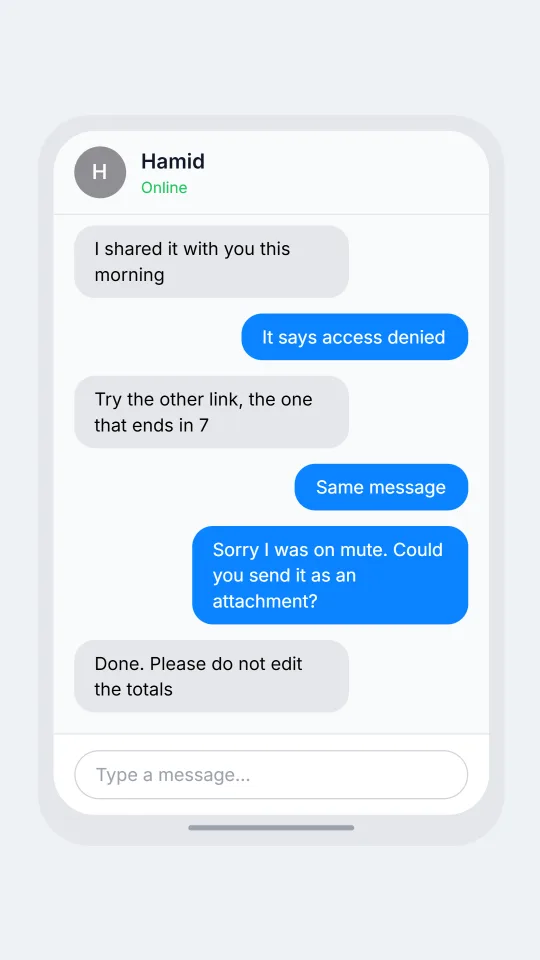
    The file nobody can open

    Two colleagues race a deadline while a shared spreadsheet refuses to open for anyone but its owner.

    Lucia: The budget sheet says I need access
    Hamid: I shared it with you this morning
    Lucia: It says access denied
    Hamid: Try the other link, the one that ends in 7
    Lucia: Same message
    Hamid: [call: Hamid | missed]
    Lucia: Sorry I was on mute. Could you send it as an attachment?
    Hamid: Done. Please do not edit the totals
    Open this example in the editor

    See the first example play as a video

    What is included in this look

    • Right and left bubbles. Your messages sit on the right in the bubble colour you select, and the colleague's replies are grey on the left, which keeps a two-person work chat easy to scan.
    • Emoji reactions. A reaction appears as a small rounded chip with the emoji under the bubble, useful for the classic thumbs-up that closes a conversation without a word.
    • Seen marker. With read receipts on, a short Seen label sits under the last message when it came from you and is marked as read, so a manager can leave someone hanging.
    • Quoted replies. A reply shows the quoted person's name and message in a small grey box above the answering bubble, which makes a follow-up to an old question obvious.
    • Presence in the header and typing dots. The header shows a round initial avatar and a green Online label when the colleague is set as online, and optional dots appear in a grey bubble while they type.
    • Calls and notifications as beats. A script line can drop in an incoming call, a missed call or a lock-screen notification, so a scene can show a meeting invite ringing right after a message.

    Questions

    Does it draw the whole Teams window?

    No. It draws a simple one to one bubble conversation with a header, messages and an input bar, not the full desktop app with sidebars. The separate Teams channel look covers post-and-reply scenes. ChatsRat is not affiliated with or endorsed by Microsoft.

    Can I show a read marker?

    Yes. Teams is one of the looks that supports read receipts, so a Seen label appears under your final message when that message is marked as read. Turn it off in settings if the scene should stay neutral.

    Is this look available on the Free plan?

    No, it belongs to the paid plans. The Free plan includes looks such as Discord. The plans page explains each tier, including which ones can export video in the formats you need.

    Can the messages include a call?

    Yes. Add a call line such as a missed call from a named colleague and the screen switches to a calling moment at that point in the script. It is handy for a video about meetings that start without warning.

    What is it not meant for?

    Do not use it to fake a message from a real manager, forge an HR record, or build proof of something that never happened. It is for training skits, humour, fiction and clearly labelled examples.

    Simulated screens only. Not affiliated with Microsoft Teams. ChatsRat draws its own original screens and uses no logos.